VMobile Lite1.0.2.0115
Publisher Description
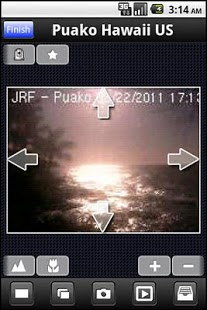
VMobile Lite is a mobile video surveillance application provided by QNAP for remote and wireless monitoring of IP cameras and video playback by connecting to VioStor NVR through your Android phone (v1.6, v2.1, v2.2, v4.0). As long as you have network access, you can connect to and manage your video surveillance system anytime, anywhere.
VMobile Lite supports monitoring of unlimited servers/channels from hundreds of network cameras of different brands by simple connecting to any available VioStor NVR on the network. The application supports advanced monitoring features, such as adjustable display mode, PTZ and preset position control, instant notification of alarm events, and snapshot. You can also playback the recording data from different monitoring channels and by different alarm events.
VMobile Lite can be installed on Android phone, and must be used with a VioStor NVR server running v3.6.1 management software or below.
Tested Android OS: 1.6, 2.1, 2.2, and 4.0
Tested VioStor FW: 3.6.1 or below
1. If your mobile device can play full HD video, please consider to use VMobile.
About VMobile Lite
The company that develops VMobile Lite is QNAP Security. The latest version released by its developer is 1.0.2.0115. This app was rated by 1 users of our site and has an average rating of 4.0.
To install VMobile Lite on your Android device, just click the green Continue To App button above to start the installation process. The app is listed on our website since 2013-02-04 and was downloaded 188 times. We have already checked if the download link is safe, however for your own protection we recommend that you scan the downloaded app with your antivirus. Your antivirus may detect the VMobile Lite as malware as malware if the download link to com.QNAP.VMobile is broken.
How to install VMobile Lite on your Android device:
- Click on the Continue To App button on our website. This will redirect you to Google Play.
- Once the VMobile Lite is shown in the Google Play listing of your Android device, you can start its download and installation. Tap on the Install button located below the search bar and to the right of the app icon.
- A pop-up window with the permissions required by VMobile Lite will be shown. Click on Accept to continue the process.
- VMobile Lite will be downloaded onto your device, displaying a progress. Once the download completes, the installation will start and you'll get a notification after the installation is finished.
Program Details
System requirements
Download information
Pricing
Version History
version 1.0.2.0115
posted on 2013-02-04
o Unlimited number of monitoring servers and channels,o Diversified monitoring modes,o Multi-stream option for higher resolution (depends on the camera model),o PTZ control of PTZ & speed dome cameras,o Preset position control,o Instant event notification,o Video search by date & time,o Video playback
version 1.0.2.0115
posted on 2013-02-04
Several fixes and updates
